> ## Documentation Index
> Fetch the complete documentation index at: https://docs.trytrellis.app/llms.txt
> Use this file to discover all available pages before exploring further.
# open-typeless
> Step-by-step guide: Building a macOS voice input app with Trellis
# open-typeless
A step-by-step tutorial showing how to use Trellis to build a macOS voice input app from scratch.
**Source Code**:
[github.com/mindfold-ai/open-typeless](https://github.com/mindfold-ai/open-typeless)
## Project Initialization
### Create Electron Project
```bash theme={null}
npx create-electron-app@latest open-typeless --template=vite-typescript
cd open-typeless
# Remove npm generated files
rm -rf node_modules package-lock.json
# Create .npmrc (required for pnpm + Electron)
cat > .npmrc << 'EOF'
node-linker=hoisted
shamefully-hoist=true
EOF
# Reinstall with pnpm
pnpm install
```
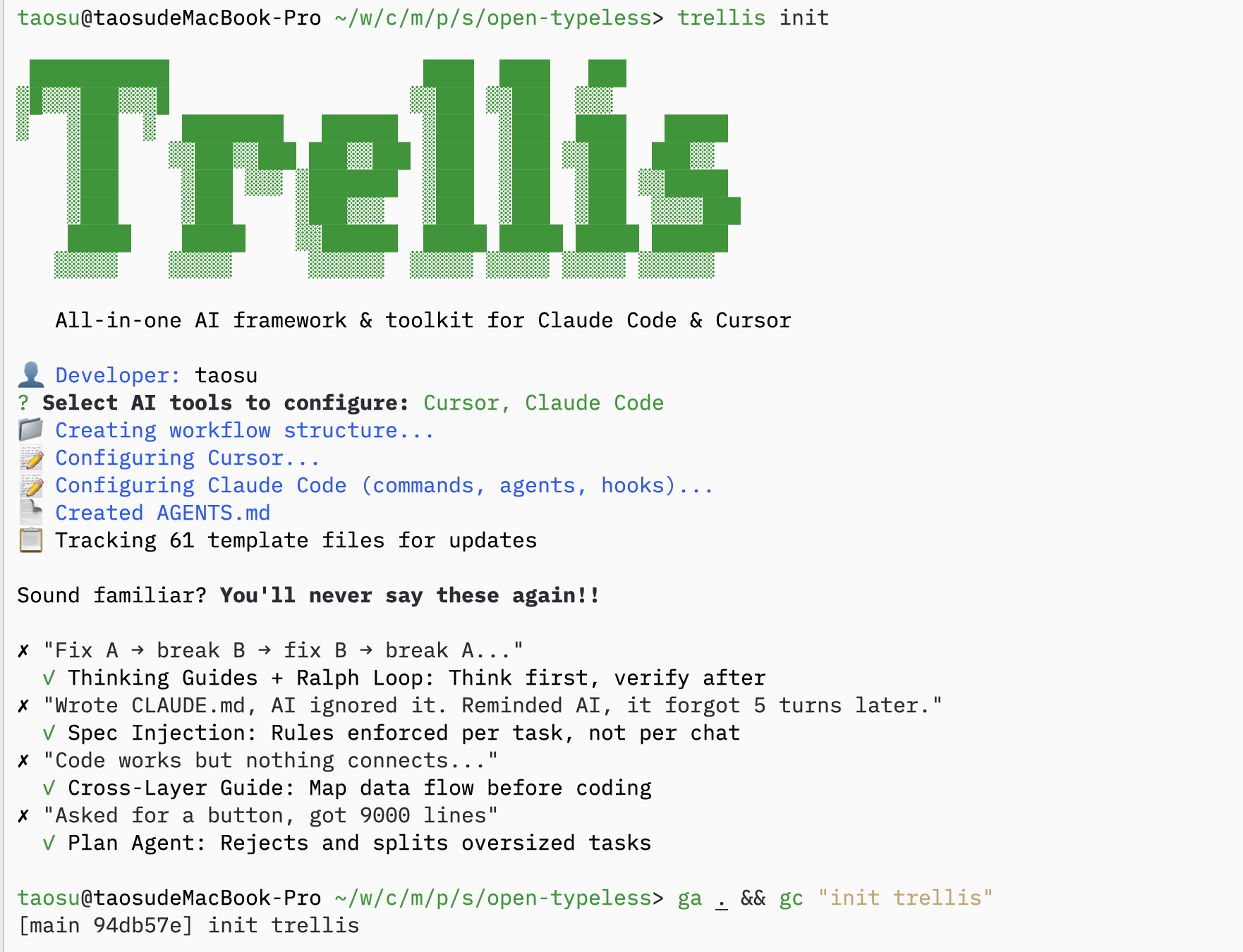
### Initialize Trellis
```bash theme={null}
trellis init
```
 ### Copy Specs from Existing Project
If you have specs from a similar project, copy them over:
```bash theme={null}
cp -r /path/to/old-project/.trellis/spec ./
```
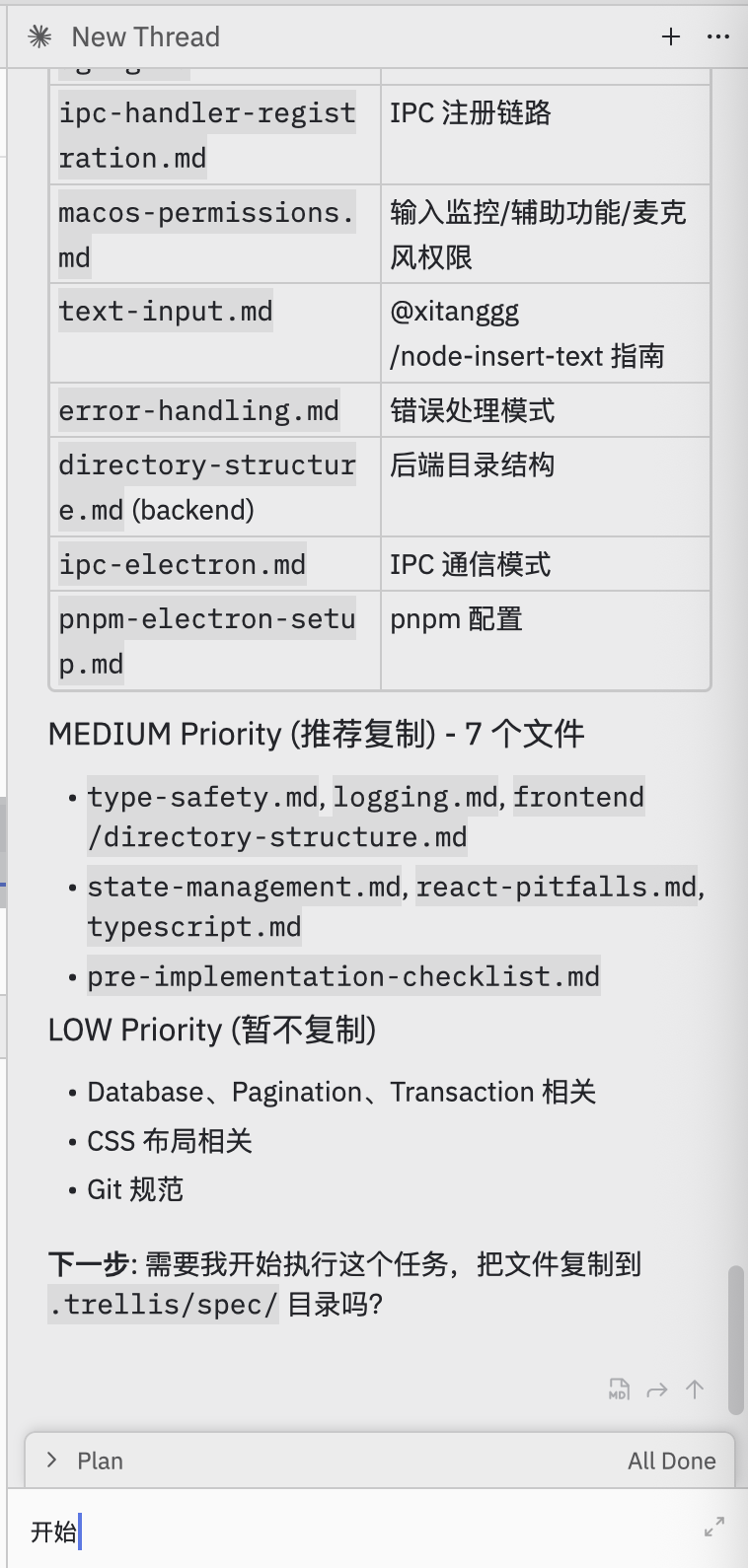
### Ask AI to Fill in Specs
**Prompt:**
> Help me select useful specs from electron-doc/ and organize them into this project's .trellis/spec/
AI will analyze and organize specs:
### Copy Specs from Existing Project
If you have specs from a similar project, copy them over:
```bash theme={null}
cp -r /path/to/old-project/.trellis/spec ./
```
### Ask AI to Fill in Specs
**Prompt:**
> Help me select useful specs from electron-doc/ and organize them into this project's .trellis/spec/
AI will analyze and organize specs:
 ## Task Planning
### Ask AI to Plan Tasks
**Prompt:**
> I want to use Volcengine ASR BigModel API to build this. Help me plan how to break down the tasks.
AI creates a batch-based task plan:
## Task Planning
### Ask AI to Plan Tasks
**Prompt:**
> I want to use Volcengine ASR BigModel API to build this. Help me plan how to break down the tasks.
AI creates a batch-based task plan:
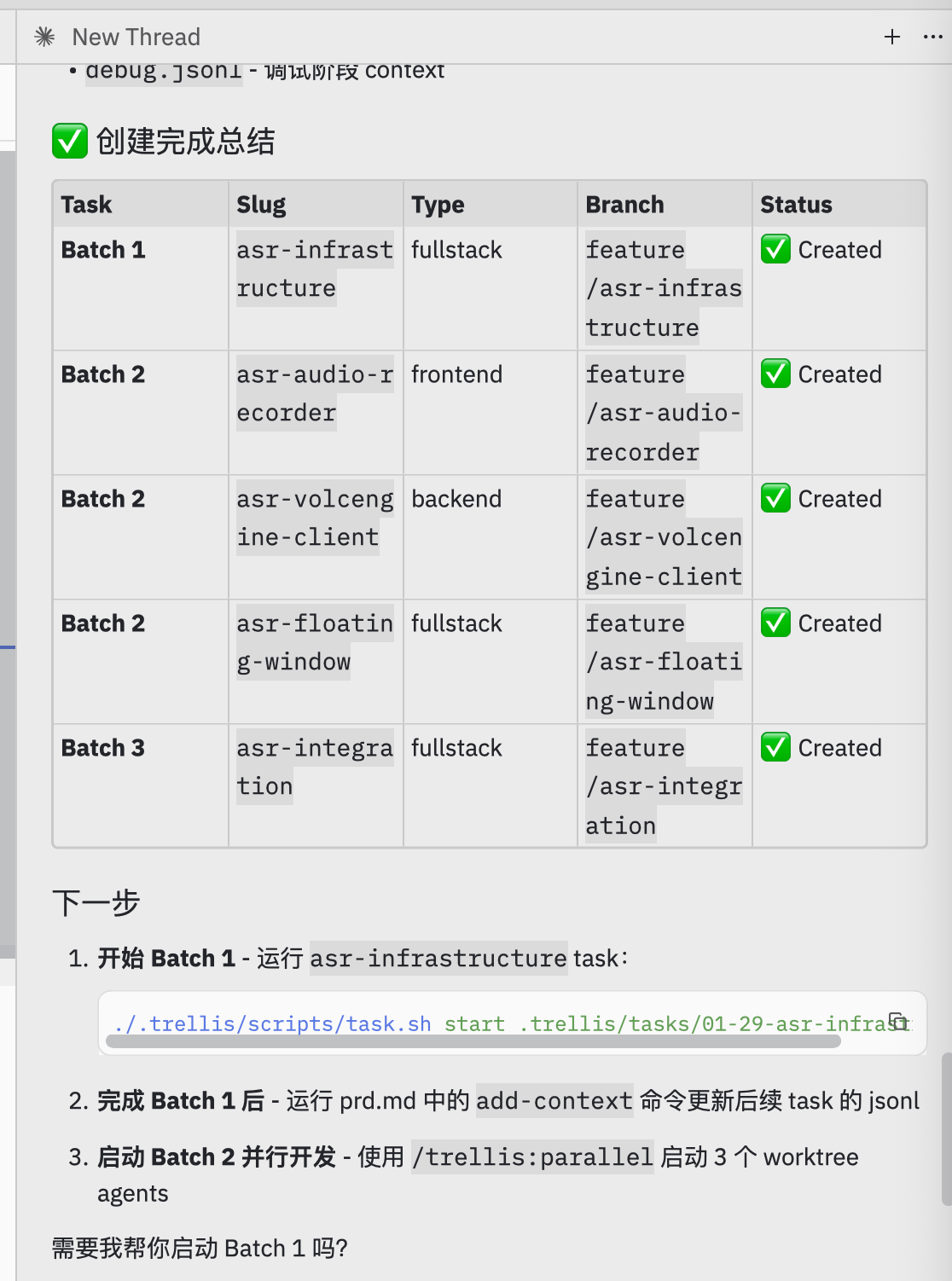
 ### Create Tasks
AI creates tasks organized into batches:
| Batch | Tasks | Purpose |
| ------- | -------------------------------------------------------------------- | -------------------------------- |
| Batch 1 | `asr-infrastructure` | Foundation (must complete first) |
| Batch 2 | `asr-audio-recorder`, `asr-volcengine-client`, `asr-floating-window` | Can run in parallel |
| Batch 3 | `asr-integration` | Integration (depends on Batch 2) |
### Create Tasks
AI creates tasks organized into batches:
| Batch | Tasks | Purpose |
| ------- | -------------------------------------------------------------------- | -------------------------------- |
| Batch 1 | `asr-infrastructure` | Foundation (must complete first) |
| Batch 2 | `asr-audio-recorder`, `asr-volcengine-client`, `asr-floating-window` | Can run in parallel |
| Batch 3 | `asr-integration` | Integration (depends on Batch 2) |
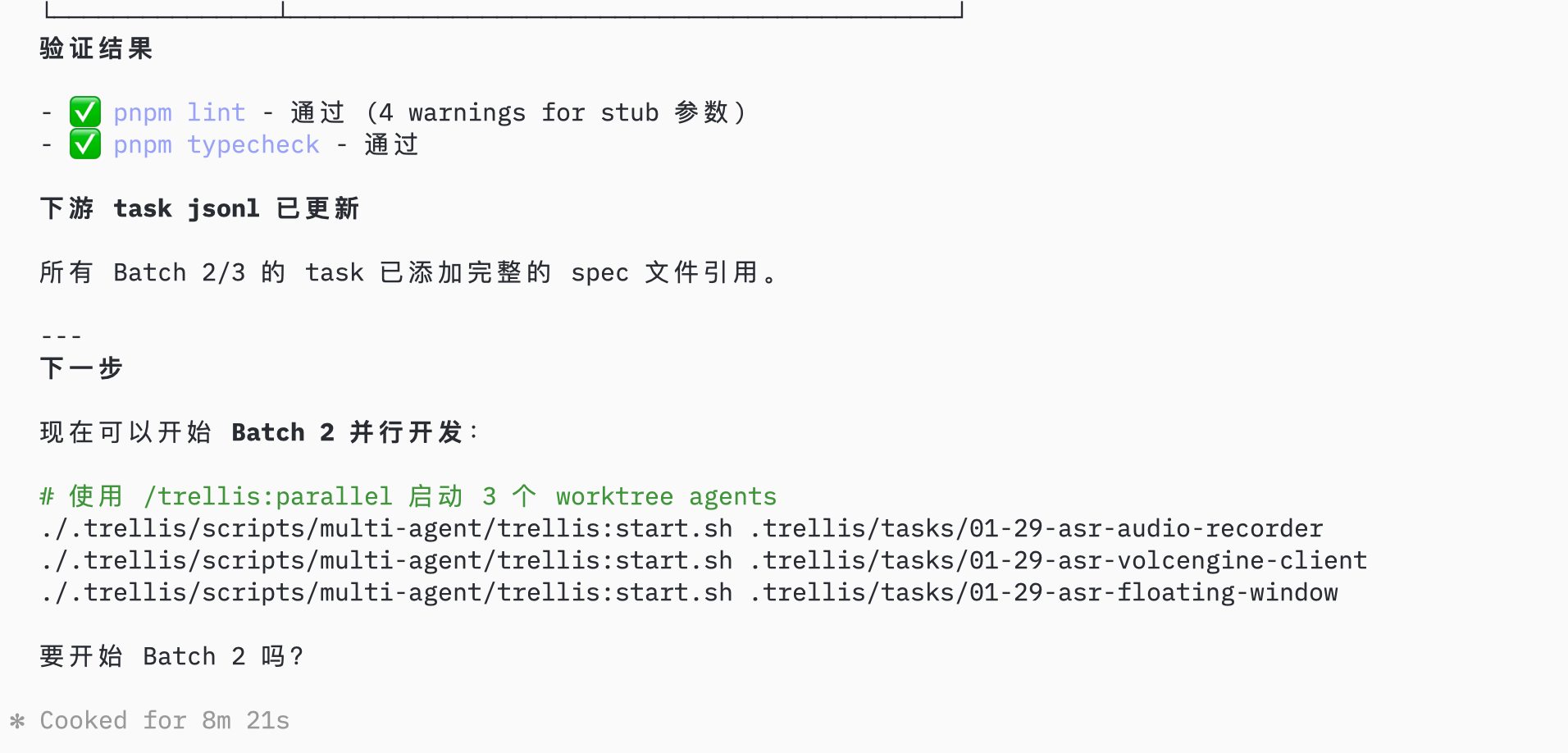
 ### Complete Batch 1
After Batch 1 completes, verify and update downstream task contexts:
### Complete Batch 1
After Batch 1 completes, verify and update downstream task contexts:
 ## Parallel Development
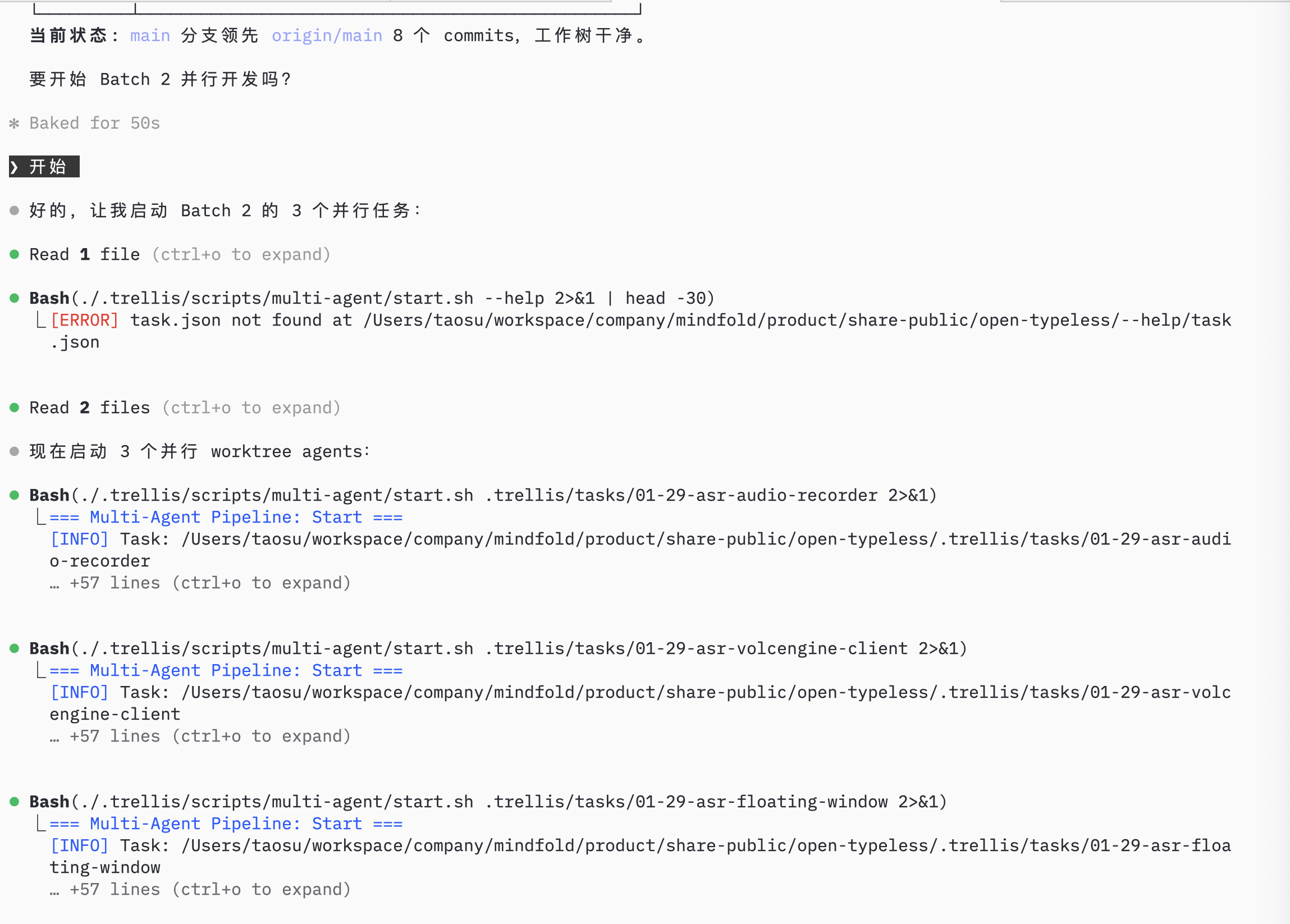
### Start Parallel Sessions
For current Trellis, create one Git worktree and one AI session for each Batch 2 task, then start the matching Trellis task inside that session.
```bash theme={null}
git worktree add ../asr-audio-recorder -b feature/asr-audio-recorder
git worktree add ../asr-volcengine-client -b feature/asr-volcengine-client
git worktree add ../asr-floating-window -b feature/asr-floating-window
```
Each session has its own active-task pointer, so starting a task in one session does not affect the others.
## Parallel Development
### Start Parallel Sessions
For current Trellis, create one Git worktree and one AI session for each Batch 2 task, then start the matching Trellis task inside that session.
```bash theme={null}
git worktree add ../asr-audio-recorder -b feature/asr-audio-recorder
git worktree add ../asr-volcengine-client -b feature/asr-volcengine-client
git worktree add ../asr-floating-window -b feature/asr-floating-window
```
Each session has its own active-task pointer, so starting a task in one session does not affect the others.
 ## Monitor Progress
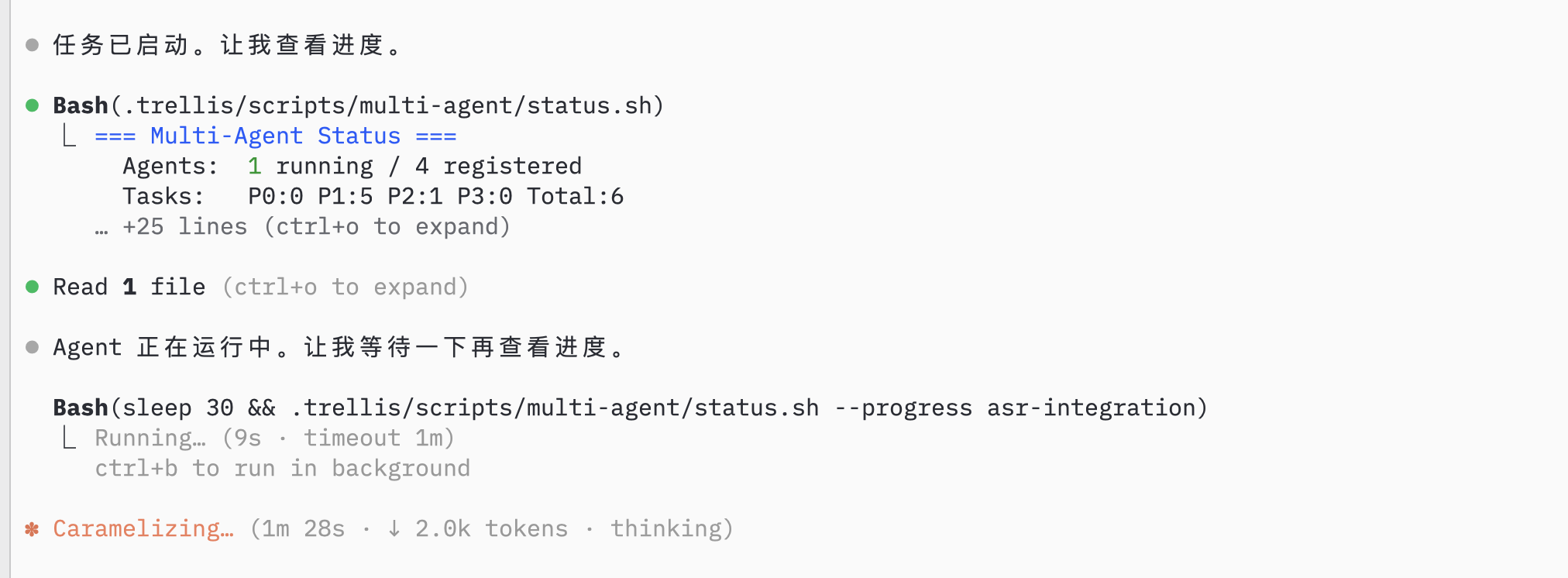
### Check Agent Status
AI monitors agent status and task progress:
## Monitor Progress
### Check Agent Status
AI monitors agent status and task progress:
 ### Record Session
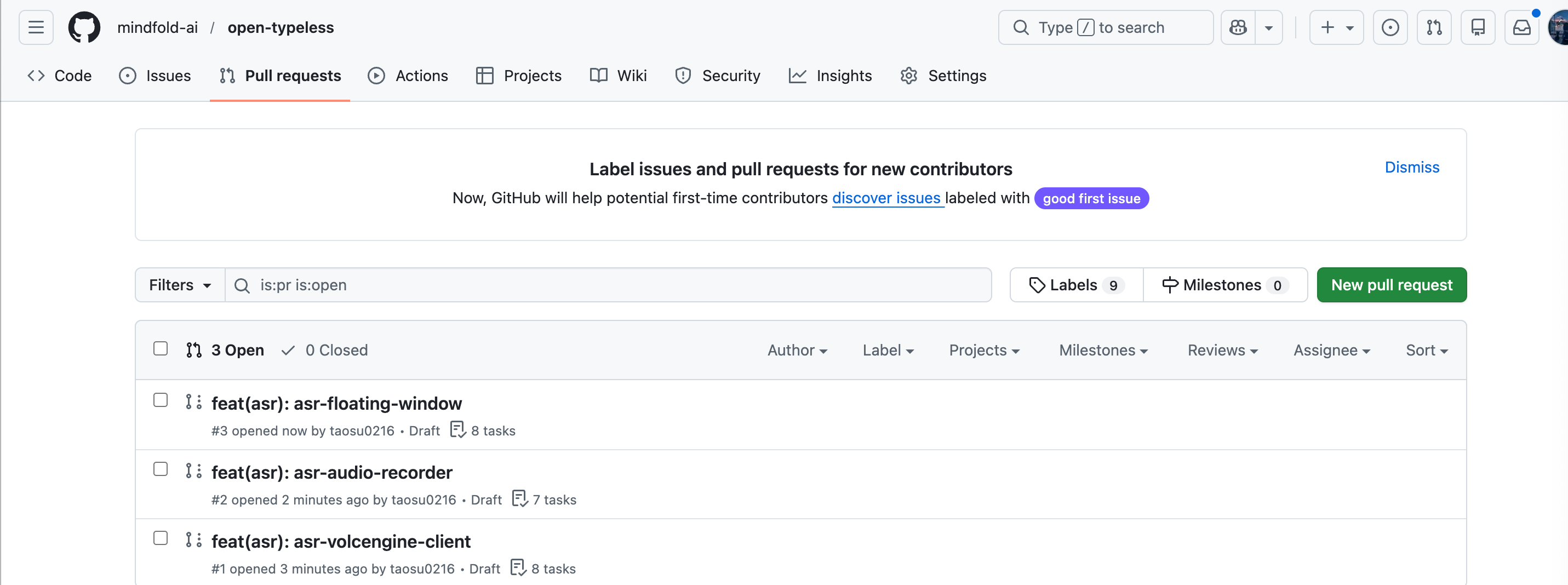
After parallel sessions complete, review and merge each branch through your normal Git process:
### Record Session
After parallel sessions complete, review and merge each branch through your normal Git process:
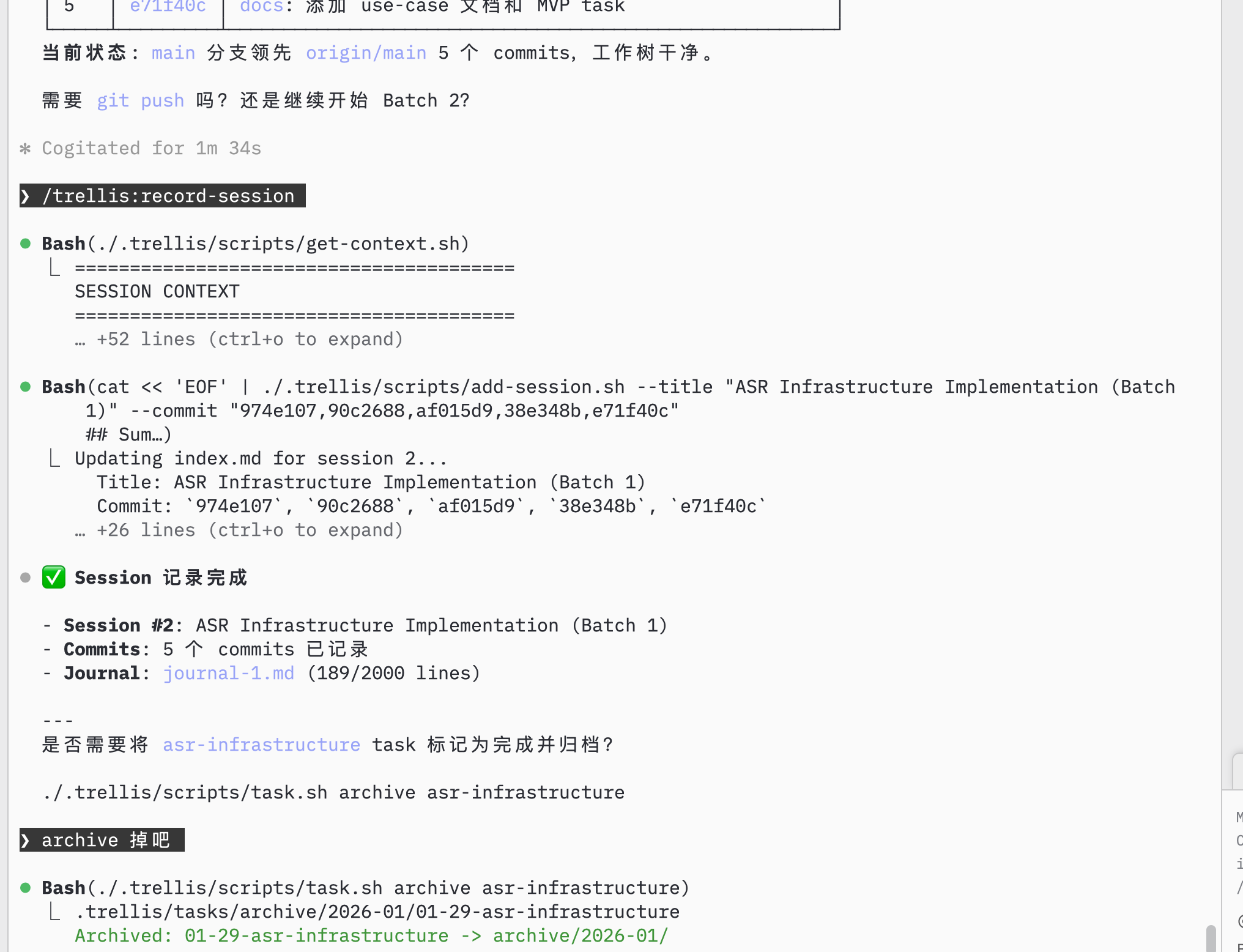
 After merging and completing a batch, record the session:
**Prompt:** `/trellis:finish-work`
After merging and completing a batch, record the session:
**Prompt:** `/trellis:finish-work`
 ## Continue Development
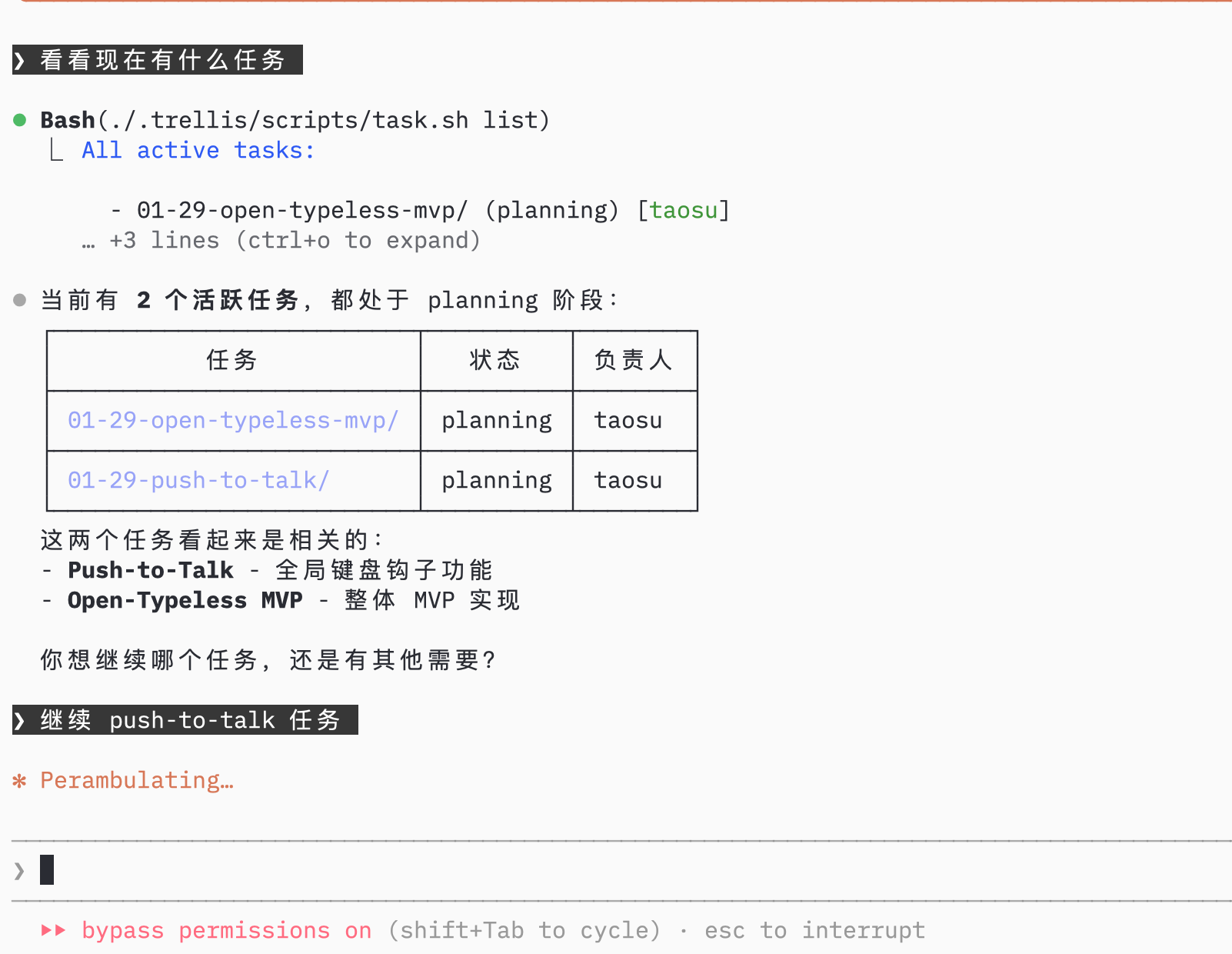
### Check Remaining Tasks
AI shows remaining tasks in the current project:
## Continue Development
### Check Remaining Tasks
AI shows remaining tasks in the current project:
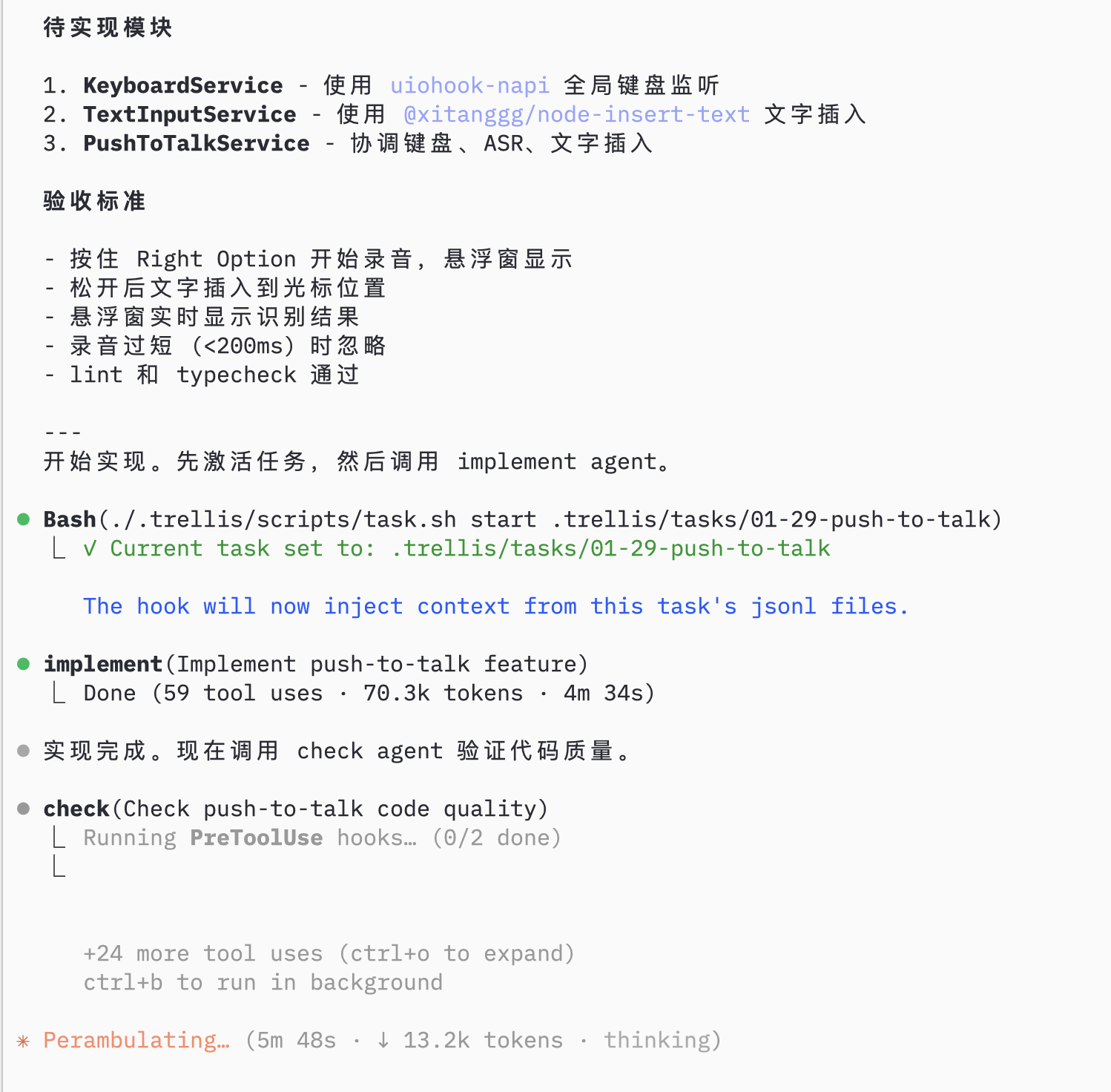
 ### Implement Next Feature
Select the next task, AI uses trellis-implement sub-agent then trellis-check sub-agent:
### Implement Next Feature
Select the next task, AI uses trellis-implement sub-agent then trellis-check sub-agent:
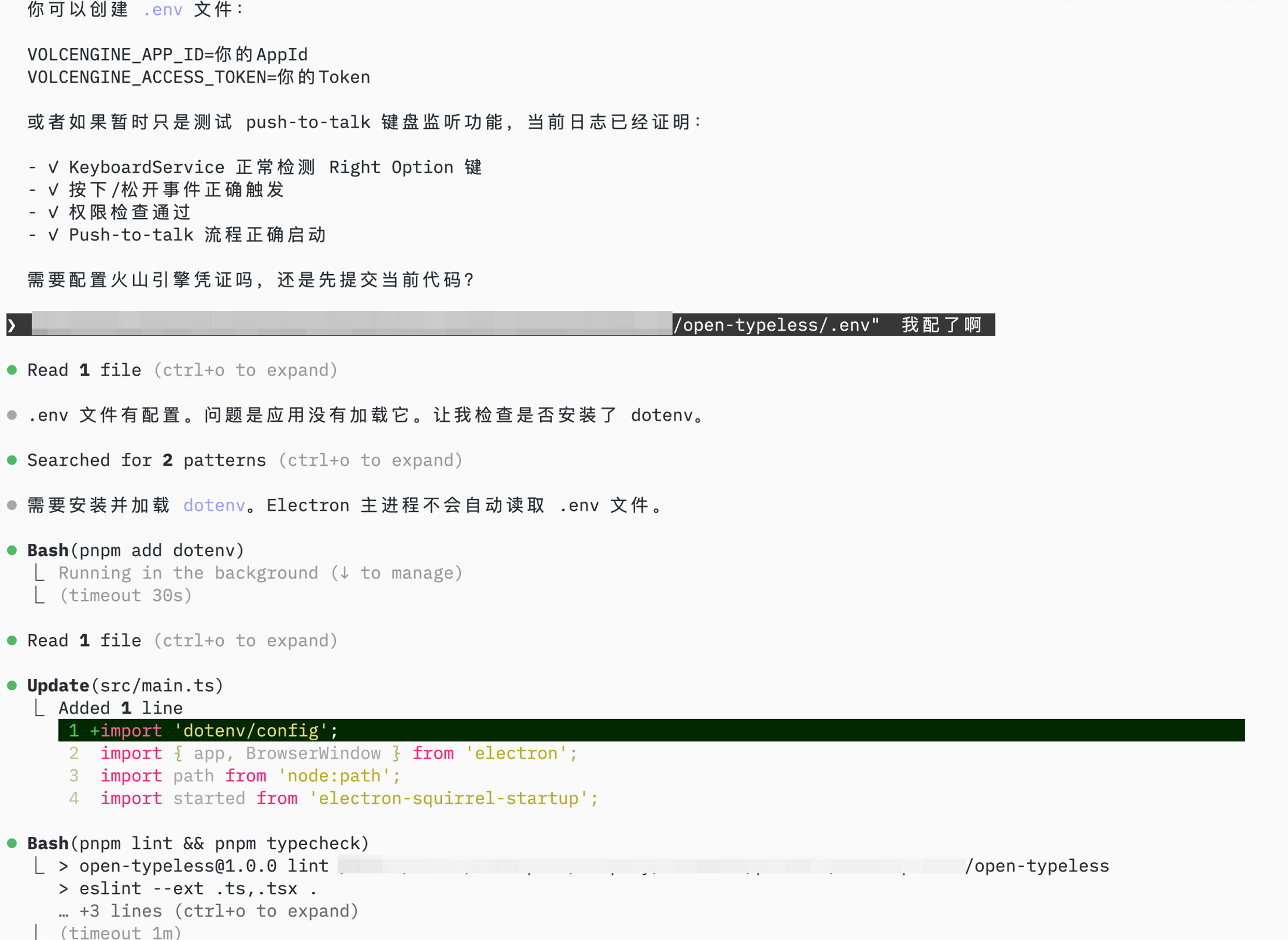
 ### Configure and Test
AI helps with remaining setup (environment config, permissions):
### Configure and Test
AI helps with remaining setup (environment config, permissions):
 ## Summary
Using Trellis to build open-typeless:
| Step | What | Trellis Feature |
| ---- | -------------------- | --------------------------------------------------- |
| 1 | Initialize project | `trellis init`, spec organization |
| 2 | Plan tasks | AI task breakdown, batch planning |
| 3 | Parallel development | Native Git worktrees + session-scoped Trellis tasks |
| 4 | Monitor & record | `/trellis:finish-work` |
| 5 | Continue iterating | Task hooks, implement/trellis-check sub-agents |
**Result:** Complete Electron app in 1 day, with structured specs and documented progress.
## Summary
Using Trellis to build open-typeless:
| Step | What | Trellis Feature |
| ---- | -------------------- | --------------------------------------------------- |
| 1 | Initialize project | `trellis init`, spec organization |
| 2 | Plan tasks | AI task breakdown, batch planning |
| 3 | Parallel development | Native Git worktrees + session-scoped Trellis tasks |
| 4 | Monitor & record | `/trellis:finish-work` |
| 5 | Continue iterating | Task hooks, implement/trellis-check sub-agents |
**Result:** Complete Electron app in 1 day, with structured specs and documented progress.